
How it works
Make a bedtime story
from their idea.
Bring something your child loves. Read their story first. Then choose the voice that tells it.
Create, review
and listen.
Choose an idea
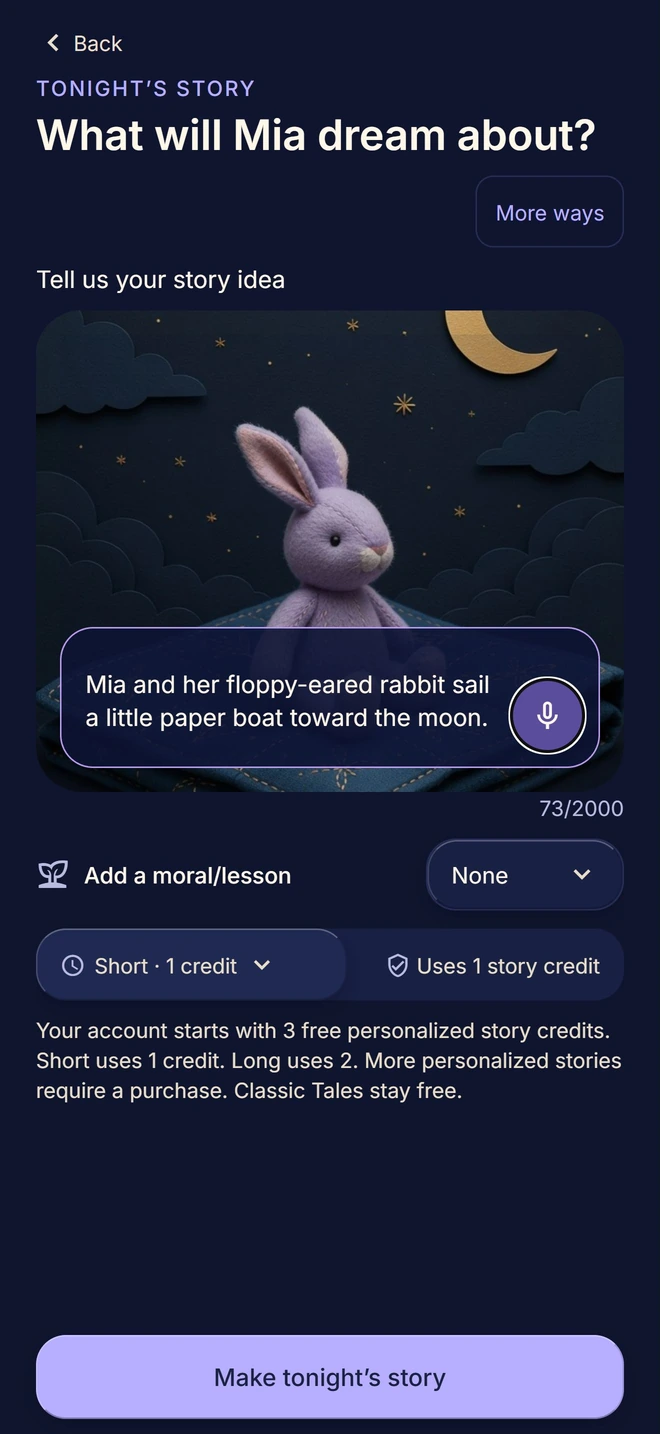
Type or say a short idea, choose a story world, or start with tonight’s mood. “A rabbit who opens a bakery on the moon” is enough to begin.
Read it before they hear it
Read the AI-generated draft and approve it before narration. Check for mistakes or details you’d rather leave out.
Choose a voice for tonight
Pick a studio narrator or an enrolled adult family voice. The first narration is included in the story’s credits. You’ll see an estimate while the audio is prepared.

How family voices work
With your permission, voice technology creates a private digital version of your voice to narrate approved stories. The app generates the narration, so you don’t need to record each story.
A family voice is optional. Its adult owner records their own voice, gives explicit consent, completes verification and approves a sound check. Another person cannot enroll it on their behalf.
Once setup is complete, you can choose that approved voice for a story. You can also revoke consent or request voice deletion in the app. Setup and narration take time, so leave room before bedtime.
Read the guide to stories in your voiceFree stories you can play now
Open Classic Tales for stories with bundled studio recordings. They’re free, and there’s no family voice to set up before your first listen.
Story credits and purchases
New accounts start with 3 welcome story credits. A Short story uses 1 credit; Long uses 2. The first narration is included. Replaying an exact saved recording does not use another credit.
Additional personalized stories and new recordings use credits. Optional memberships and one-time purchases are available. Your store shows the current price, billing period and any renewal terms before you buy.
Try a free Classic Tale.
Start with a free Classic Tale on iPhone or Android.